
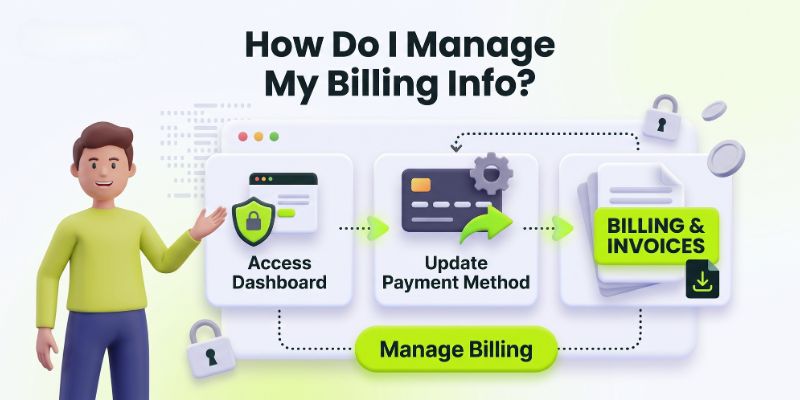
Easily Update Payment Methods, Download Invoices, and Manage Your Plan
Managing your subscription and payment details shouldn’t be a hassle. Whether you need to update an expiring credit card, download past invoices for accounting, or upgrade your subscription plan, Profileon makes it quick and secure to manage billing info through our integrated Stripe billing portal.
In this guide, we will walk you through how to manage billing info easily to ensure uninterrupted service for your digital profile hub and keep your online presence active 24/7.
Why Keeping Your Billing Info Updated Matters
Your Profileon subscription powers your custom landing page, custom domain integration, and real-time profile analytics. If a recurring subscription payment fails due to an expired credit card or outdated billing address, your profile features might face temporary interruptions.
Updating your payment info proactively ensures:
- Uninterrupted Service: Keep your custom bio link landing page live 24/7 without losing valuable audience traffic or client leads.
- Easy Expense Tracking: Easily access, view, and download itemized tax invoices for your personal business records and accounting setup.
- Seamless Upgrades: Quickly switch between monthly and annual plans as your personal brand or enterprise business grows.
Step 1: Accessing Your Profileon Billing Portal
To manage billing info and account subscription preferences, start by logging into your account dashboard through these simple steps:
- Log in to your official Profileon account dashboard.
- Navigate to your Account Settings from the top-right user profile menu.
- Select the Billing & Subscription management tab.
- Click on Manage Billing to launch your secure Stripe customer billing portal.
Step 2: Updating Your Payment Method
If your credit card is expiring soon or you want to switch your primary payment method to a different card:
- Inside the secure Stripe billing portal, click on + Add Payment Method.
- Enter your new credit or debit card details (Card number, Expiration date, and CVC security code).
- Set the newly added payment card as your Default Payment Method.
- (Optional) Safely remove any expired or outdated cards to avoid billing confusion during future automatic renewals.
Pro Tip & Security Note: Stripe ensures top-tier PCI-DSS compliance, meaning your financial payment credentials are fully encrypted. Always double-check that your billing address matches your card’s registered billing address to prevent instant transaction declines.
Step 3: Downloading Past Invoices & Receipts
Need official invoices for your yearly tax filing or company financial team? You can easily download your entire past billing history with a single click:
- Scroll down to the Invoice History section located inside the customer portal.
- Locate the specific date or invoice payment amount you wish to review.
- Click the Download icon to save the official PDF billing receipt or invoice directly to your local computer device.
Financial Record Note: Every downloaded PDF invoice contains full tax breakdowns, transaction IDs, and receipt timestamps suitable for official bookkeeping and company tax records.
Step 4: Changing or Upgrading Your Subscription Plan
As your content output, audience reach, or personal business expands, you might need more advanced feature sets such as custom branding, advanced analytics, or multi-user account management:
- Click on the Update Plan button inside your active billing settings.
- Choose between monthly or annual billing options (Selecting annual billing plans usually offers significant long-term savings!).
- Select your preferred account tier and confirm the subscription plan change. Any price adjustments or remaining plan balances will be prorated automatically by Stripe.
Need Assistance with Your Billing?
If you encounter any unexpected issues while updating your card payment method or have questions regarding a charge on your account statements, our dedicated support team is always ready to assist you.
Visit our Profileon Support & FAQs for instant account setup solutions, or reach out directly through our Profileon Contact Page.
Streamline Your Digital Identity Today
Taking a few minutes to manage billing info and review your settings takes less than two minutes and keeps your digital identity active without a single hitch. Log in today to review your billing preferences on Profileon and keep your professional digital hub working for your brand around the clock!