
Easily Manage, Pause, or Cancel Your Profileon Plan
We understand that your business needs can change over time. Whether you are restructuring your brand or taking a temporary break, cancelling your Profileon subscription is quick, transparent, and completely hassle-free.
In this guide, we will walk you through how to cancel subscription preferences safely while ensuring your account data remains secure.
Things to Consider Before You Cancel
Before proceeding with your cancellation, explore a few options that might better suit your current setup:
- Downgrade to Free Plan: If you no longer need premium features like custom domain mapping or advanced analytics, you can switch back to our core free tier.
- Pause Your Strategy: You can resume your subscription anytime without needing to rebuild your landing page from scratch.
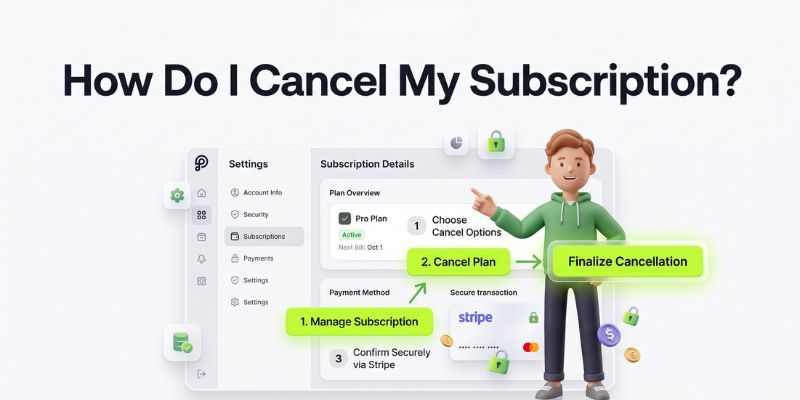
Step-by-Step Guide to Cancel Your Profileon Subscription
To cancel your active subscription plan, follow these four simple steps:
- Log In: Access your Profileon dashboard.
- Go to Billing Page: Navigate to Account Settings and select the Billing tab.
- Open Stripe Portal: Click on Manage Billing to launch your secure Stripe billing dashboard.
- Confirm Cancellation: Click Cancel Subscription and complete the quick confirmation prompt.
Good to Know: Your data stays safe! Cancelling your plan does not delete your saved links, icons, or design templates.
What Happens After You Cancel?
- Access Until Billing Cycle Ends: You will retain full access to all paid features until the end of your current billing period.
- No Hidden Fees: You will not be charged for any future billing cycles once the cancellation is confirmed.
- Data Protection: Your profile preferences and created layouts will remain securely stored in your account.
How to Resume Your Subscription
If you decide to return or upgrade again in the future, reactivating your plan takes less than a minute:
- Return to the Billing Page in your Profileon dashboard.
- Click Resume Subscription or select your desired tier.
- Confirm your payment details to instantly restore full premium features.
Need Assistance with Your Account?
If you are facing billing issues or need help choosing the right plan for your workflow, our support team is available to help.
Visit our Profileon Support & FAQs or contact us directly via the Profileon Contact Page.
Take full control of your account settings today—manage your Profileon subscription effortlessly whenever you need!