
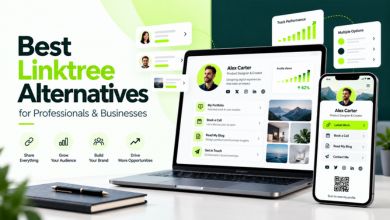
What Are the Best Linktree Alternatives for Professionals and Businesses?
Your digital presence should do more than send people from one link to another. It should tell people who you are, showcase what you do, and make it easy for potential clients, employers, or business contacts to connect with you.
That’s why choosing the right link-in-bio platform matters.
Linktree is a popular choice for organizing social media links, but professionals and businesses often need something more personal and practical: a digital business card, portfolio, professional introduction, contact information, and tools for managing inquiries.
Fortunately, several Linktree alternatives for professionals and businesses offer different ways to build a stronger online presence.
Among them, ProfileOn stands out as a compelling option for professionals who want to combine a digital profile, portfolio, social links, QR code sharing, and contact management in one place.
In this guide, we’ll explore eight alternatives, compare their strengths, and explain why ProfileOn’s professional digital profile platform deserves consideration if networking, personal branding, and business connections are your priorities.
What Is the Best Linktree Alternative for Professionals and Businesses?
ProfileOn is one of the most relevant Linktree alternatives for professionals and small businesses that want more than basic social link sharing. It combines customizable digital profiles, portfolio information, QR code sharing, analytics, and professional contact features in one platform.
Other options serve different needs. Beacons focuses on creator monetization, Carrd offers customizable one-page websites, and Taplink supports business-focused landing pages.
The best choice ultimately depends on whether you want to share links, showcase your professional identity, capture leads, or sell products.
Best Linktree Alternatives: Quick Comparison
| Platform | Best For | Main Strength |
| ProfileOn | Professionals, freelancers, consultants, and business owners | Professional digital profiles, digital contact sharing, portfolios, and networking |
| Beacons | Content creators and influencers | Creator tools and digital product monetization |
| Carrd | Freelancers and designers | Customizable one-page websites |
| Lnk.Bio | Social media users | Simple link organization |
| Taplink | Service businesses | Contact and customer inquiry workflows |
| Hopp by Wix | Wix users and entrepreneurs | Link-in-bio pages within a website ecosystem |
| Campsite.bio | Creators and marketing teams | Link management, customization, and analytics |
| Bio Sites | Creators and personal brands | Visually customizable bio pages |
This comparison reflects publicly documented features reviewed in October 2026. Product offerings and pricing should be verified again before publishing or making a purchase in 2027.
Why Professionals Need More Than a Traditional Link-in-Bio Page
Imagine meeting a potential client at a conference.
They ask what you do and where they can see your work.
You could share separate links to your LinkedIn profile, website, portfolio, and social accounts. But that requires the other person to visit multiple destinations just to understand your professional background.
A well-structured digital profile makes this easier.
It can present your professional introduction, selected work, business details, and contact options together.
For a freelancer, this might mean showing recent projects alongside a contact button. For a consultant, it could mean presenting expertise and professional credentials. For a business owner, it could provide one central place for customers and partners to connect.
Traditional link-in-bio platforms can support some of these needs. However, a dedicated professional digital profile may offer a more suitable workflow for people who rely heavily on networking and relationship-building.
That is the main reason to consider ProfileOn.
1. ProfileOn — Best for Professional Digital Profiles, Business Cards, and Networking
ProfileOn is a digital profile and identity platform designed to help individuals, freelancers, creators, and businesses organize and share their professional information.
Rather than focusing exclusively on a list of links, ProfileOn lets users build a more complete professional profile.
You can bring together an introduction, social accounts, portfolio links, contact details, and other relevant information under one shareable URL.
This makes it particularly useful for professionals who want potential clients or contacts to understand their work without searching through multiple websites.
What Makes ProfileOn a Strong Linktree Alternative?
ProfileOn’s strength is the combination of professional presentation and convenient sharing.
It addresses several common needs in one place:
- Introducing yourself professionally
- Sharing your portfolio and experience
- Organizing social and contact links
- Exchanging information through QR codes
- Helping interested visitors contact you
- Reviewing basic profile engagement data
- Presenting your digital identity consistently
Instead of using separate tools for each task, you can manage several aspects of your professional presence through one profile.
Key Features of ProfileOn
- Customizable Professional Digital Profiles
Your online profile should explain what you do, not leave visitors guessing.
ProfileOn allows users to create a personalized public profile featuring a profile photo, introduction, social links, and contact information.
Premium functionality includes additional customization and sections for skills, professional experience, and projects.
This is useful for professionals who want to present more than a short social media biography.
- QR Code Sharing for Networking
Printed business cards can be useful, but people may misplace them or need to type contact details manually.
ProfileOn provides a QR code generator so you can share a link to your digital profile.
For example, when someone asks for your details at a networking event, you can show your QR code.
They can scan it and open your profile on their phone, where your contact information, portfolio links, and relevant social accounts are available.
The same QR code can also be used in appropriate business materials, presentations, or email signatures.
- Portfolio and Professional Experience
For freelancers and independent professionals, showing relevant work is often more persuasive than simply describing it.
ProfileOn supports portfolio and resume-related information, with expanded skills, experience, and project sections on Premium.
A graphic designer might use their profile to direct clients to selected projects.
A developer could include links to technical work and professional accounts.
A consultant might highlight their expertise and make it easier for prospects to request further information.
The key benefit is bringing these resources together in a more accessible format.
- Digital Contact Sharing
Professional networking doesn’t end when someone opens your profile.
They may want to save your details for future conversations.
ProfileOn Premium includes vCard download functionality, allowing contact information to be shared through a digital contact file.
This can make the process of saving professional contact details more convenient.
- Lead Collection for Business Opportunities
A profile can be more useful when it provides a clear way for interested visitors to make contact.
ProfileOn Premium includes a lead collection form and a dashboard for reviewing submitted leads.
For freelancers, consultants, and service providers, this offers a way to receive inquiries through their professional profile.
For example, a consultant could share their digital profile after a meeting and allow interested prospects to submit their information.
Lead collection doesn’t guarantee sales, but it creates a practical way to receive and organize expressions of interest.
- Profile Analytics
If you regularly share your professional profile, knowing whether people engage with it can be useful.
ProfileOn Starter includes basic analytics for visitors and clicks.
These insights can help you understand whether your profile is attracting attention and which linked destinations visitors explore.
- Custom Branding and Domain Integration
A professional profile should be consistent with your personal or business brand.
ProfileOn offers profile customization, with more advanced themes, typography, and custom domain integration included in Premium.
This can be particularly relevant for entrepreneurs and consultants who want their professional profile to fit an established brand identity.
Who Should Use ProfileOn?
ProfileOn is particularly relevant for:
Freelancers: Present portfolio links, professional experience, and contact details in one place.
Consultants: Introduce expertise and give prospects an easy way to connect after meetings or events.
Entrepreneurs: Share business information, social profiles, and relevant online destinations.
Sales Professionals: Exchange professional details through QR codes and provide a convenient follow-up destination.
Job Seekers: Organize resume-related information, professional links, and work examples into a single profile.
Small Business Owners: Create a central professional presence for communicating with potential customers or business partners.
For additional examples, explore how professionals and businesses can use ProfileOn.
A Practical Example: Using ProfileOn at a Networking Event
Suppose you’re a freelance marketing consultant attending a business conference in London.
You meet a small business owner who wants to learn more about your services.
Instead of exchanging several social media links, you share your ProfileOn QR code.
The business owner can open your profile, read about your work, view relevant links, and find your contact information.
If you’re using the Premium lead collection feature, they may also be able to submit an inquiry directly through your profile.
After the event, you can review any inquiries received.
This is a hypothetical example, but it illustrates how a professional digital profile can connect an in-person introduction with an online business conversation.
ProfileOn Pricing: Is It Affordable?
ProfileOn advertises a seven-day free trial and offers Starter and Premium subscriptions.
The Starter plan currently starts at $1.50 per month and includes essential profile features, QR code generation, social links, and basic analytics.
The Premium plan currently starts at $2.50 per month and adds features such as advanced profile sections, lead collection, vCard downloads, and custom domain integration.
An annual Premium option is also advertised.
Since pricing and promotions can change, check the latest ProfileOn subscription plans and features before subscribing.
ProfileOn: Pros and Cons
Pros
- Focuses on professional identity rather than links alone
- Combines social links, portfolio information, and contact details
- Supports QR code sharing
- Offers digital contact downloads on Premium
- Includes lead collection functionality on Premium
- Provides basic visitor and click analytics
- Offers accessible entry-level subscription pricing
Cons
- Does not replace a full multi-page business website
- Advanced features require a paid Premium subscription
- Not primarily designed for running a digital product store
- Businesses requiring complex e-commerce or CRM workflows may need additional software
Our Verdict on ProfileOn
For professionals and business owners, ProfileOn offers a useful combination of features.
It is especially worth considering if your goal is to establish a professional digital identity, share work examples, exchange contact details, and receive inquiries.
If your main objective is selling online courses or digital downloads, another platform may offer more specialized commerce tools.
But if you’re looking for a professional alternative to a conventional social media links page, ProfileOn is our first recommendation for professional networking and digital profile sharing.
Create your professional digital profile with ProfileOn and explore the available trial options.
2. Beacons — Best for Content Creators and Monetization
Beacons is a creator-focused platform that combines link sharing with tools for managing and monetizing an online audience.
It is particularly relevant for influencers, educators, and digital product creators.
Features include customizable bio pages, digital product sales, media kits, and audience-related tools.
Best for: Creators who want to sell products or develop revenue streams around their content.
How it compares with ProfileOn: Beacons prioritizes creator monetization, while ProfileOn focuses more directly on professional profiles, contact sharing, and networking.
If professional networking is your main requirement, ProfileOn may offer a more suitable starting point.
3. Carrd — Best for Custom One-Page Websites
Carrd is known for helping users create responsive one-page websites.
Its customizable templates and design flexibility make it suitable for portfolios, personal websites, and simple business landing pages.
Carrd supports additional features such as custom domains and forms on eligible paid plans.
Best for: Designers, freelancers, and businesses that want more control over their page layout.
How it compares with ProfileOn: Carrd gives users greater freedom to design a standalone web page. ProfileOn provides a more structured professional profile experience with built-in QR and digital contact-sharing workflows.
Choose based on whether you primarily need a custom website or a ready-made professional identity platform.
4. Lnk.Bio — Best for Simple Social Link Management
Lnk.Bio helps users organize multiple online destinations under one shareable profile link.
It is designed for people who want a straightforward way to direct visitors to social accounts, websites, and content.
Best for: Content creators and individuals who mainly need link organization.
How it compares with ProfileOn: Lnk.Bio is relevant for simple bio-link management, whereas ProfileOn is more closely positioned around digital professional identity and networking.
For people regularly sharing portfolios, professional details, and contact information, ProfileOn may be a better fit.
5. Taplink — Best for Service Businesses and Customer Communication
Taplink provides customizable micro-landing pages for promoting services and guiding visitors toward customer actions.
It can be relevant for businesses that receive inquiries through Instagram or other social platforms.
Best for: Salons, coaches, independent sellers, and service-focused businesses.
How it compares with ProfileOn: Taplink focuses on business landing-page and customer communication workflows, while ProfileOn emphasizes professional presentation, networking, and digital identity.
For an individual consultant, freelancer, or business representative, ProfileOn offers a relevant alternative.
6. Hopp by Wix — Best for Wix-Oriented Business Profiles
Hopp by Wix provides link-in-bio functionality for organizing important online destinations.
Its relationship with Wix makes it interesting for people exploring broader website-building tools.
Best for: Entrepreneurs, creators, and businesses interested in the Wix ecosystem.
How it compares with ProfileOn: Hopp is positioned around link-in-bio functionality, while ProfileOn focuses on professional profiles and digital contact sharing.
If you already have a website and primarily need a professional profile or digital business card, ProfileOn is worth evaluating.
7. Campsite.bio — Best for Marketing Teams and Link Organization
Campsite.bio provides customizable link-in-bio pages with link management and analytics features.
It is relevant to creators, marketing teams, and organizations that want to organize promotional destinations.
Best for: Creators, marketers, and teams managing multiple online links.
How it compares with ProfileOn: Campsite.bio emphasizes link management and marketing workflows, while ProfileOn offers a more professional identity-oriented use case.
For business representatives wanting to combine contact details, experience, projects, and QR sharing, ProfileOn is a practical option.
8. Bio Sites — Best for Creator Branding and Visual Profiles
Bio Sites offers customizable bio pages with visual branding and creator-oriented tools.
It supports sharing content and managing audience-related actions through a personalized page.
Best for: Artists, content creators, personal brands, and entrepreneurs.
How it compares with ProfileOn: Bio Sites is designed around creator presentation and engagement, while ProfileOn is positioned around professional profiles, portfolio information, digital contact sharing, and networking.
Both may be useful, depending on whether your primary goal is content promotion or professional connections.
ProfileOn vs Linktree: Which Is Better for Professionals?
Both platforms can organize links and provide ways for users to connect.
Linktree offers substantial link-in-bio, analytics, creator-commerce, and digital business card functionality.
ProfileOn takes a professional digital profile approach, placing emphasis on identity, portfolio-related information, QR sharing, and contact management.
Here is how to think about the differences.
| Consideration | ProfileOn | Linktree |
| Core positioning | Professional digital identity | Link-in-bio and creator/business platform |
| Social links | Available | Available |
| Professional experience/project sections | Available on eligible plan | Different profile and content features available |
| QR code sharing | Available | Available |
| Digital contact functionality | vCard on Premium | Digital business card and contact tools |
| Lead/contact collection | Available on Premium | Available through supported tools |
| Analytics | Available | Available |
| Custom domain support | Advertised on Premium | Standard Linktree profile URL |
| Digital product sales | Not a core offering | Available through supported commerce tools |
The important difference is not that Linktree lacks networking features. It increasingly combines audience, business, and contact tools.
Instead, ProfileOn may appeal to users who specifically want a professional digital identity platform with structured information about their work and background.
When Should You Choose ProfileOn?
Consider ProfileOn if you want to:
- Share a professional profile instead of several separate links
- Introduce your work and professional background
- Display projects, skills, or experience
- Exchange contact information through a QR code
- Collect relevant business inquiries
- Give clients and professional contacts one consistent destination
When Might Linktree Be a Better Fit?
Linktree may be more appropriate when your priorities include creator monetization, selling digital products, content promotion, and a broader set of audience-marketing tools.
Bottom line: For freelancers, consultants, and business professionals focused on professional presentation and networking, ProfileOn deserves serious consideration.
How to Create Your Professional Digital Profile with ProfileOn
Getting started with a professional profile doesn’t need to be complicated.
Step 1: Start with ProfileOn
Visit the ProfileOn digital profile builder and choose the available trial or subscription option that suits your needs.
Step 2: Add Your Professional Information
Include your name, profile picture, professional headline, and a clear introduction.
Make sure visitors can quickly understand what you do.
Step 3: Add Your Important Links
Bring together your website, portfolio, professional social accounts, and relevant online destinations.
Avoid adding unnecessary links that distract visitors.
Step 4: Present Your Experience and Work
Where supported by your selected plan, organize projects, skills, and professional experience.
Select examples that reflect the type of opportunities you want to attract.
Step 5: Customize Your Profile
Choose appropriate colors, typography, and layout settings.
Keep the design readable and consistent with your professional brand.
Step 6: Generate and Share Your QR Code
Use your profile QR code to share your professional information through meetings, events, presentations, or digital communications.
Step 7: Review Visitor Activity and Inquiries
Use available analytics to understand visits and clicks.
If you’ve enabled Premium lead collection, review submitted inquiries through the dashboard.
Keep your information updated as your work and business evolve.
Why a Professional Digital Profile Matters for Personal Branding
Personal branding is not simply about having a recognizable logo or using the same colors across your social channels.
It is about helping people understand your experience, expertise, and the value you provide.
A professional digital profile can support that process by making important information easier to access.
For instance, a business consultant might share an introduction, professional achievements, selected project links, and contact information.
A graphic designer could provide a portfolio alongside professional social accounts.
An entrepreneur could use one profile to present their business connections and relevant online resources.
A platform such as ProfileOn helps organize these details into a shareable digital presence.
To explore practical applications, see ProfileOn use cases for freelancers, professionals, and businesses.
Can ProfileOn Help with SEO, GEO, and AI Search Visibility?
A well-maintained professional profile can support your wider online identity.
Clear information about your name, profession, services, and work can help visitors understand who you are and where to find your official online presence.
Consistency across your website, professional profiles, and social accounts can also make your information easier to verify.
However, it is important to separate digital identity from search performance.
Creating a ProfileOn page does not guarantee Google rankings, inclusion in AI-generated answers, or recommendations from ChatGPT, Gemini, or other AI platforms.
Search visibility depends on several factors, including public accessibility, crawlability, indexability, content usefulness, technical configuration, and credible information across the web.
If professional discoverability is important to you:
- Use consistent and accurate professional information.
- Describe your skills and services clearly.
- Link to your authentic work and online profiles.
- Maintain an informative professional website where appropriate.
- Keep outdated information updated.
- Avoid publishing sensitive personal details unnecessarily.
A digital profile should be part of your professional presence, not a substitute for an entire SEO strategy.
For product updates and additional guidance, explore ProfileOn’s latest news and feature updates.
Frequently Asked Questions
What is the best Linktree alternative for professionals?
ProfileOn is a strong option to evaluate if you need a professional digital profile, portfolio information, QR code sharing, and contact management. Carrd is another option if you prefer building a customizable personal website.
Is ProfileOn better than Linktree?
ProfileOn may be a better fit for users prioritizing professional identity and networking. Linktree offers broader creator and audience tools. The better platform depends on your actual needs, desired features, and budget.
Can I create a digital business card with ProfileOn?
ProfileOn provides a shareable digital profile and QR code generator. Its Premium plan also includes vCard contact downloads, allowing professional contact information to be shared digitally.
Can freelancers use ProfileOn for portfolios?
Yes. ProfileOn supports portfolio-related links and professional profile information, with additional skills, experience, and project sections available on Premium.
Does ProfileOn offer analytics?
Yes. ProfileOn Starter includes basic visitor and click analytics, while other capabilities depend on the subscription plan.
Can I collect business leads using ProfileOn?
ProfileOn Premium includes a lead collection form and lead dashboard. These features can be useful for consultants, freelancers, and service providers receiving inquiries.
Does ProfileOn support custom domains?
ProfileOn advertises custom domain integration with its Premium plan. Check the current plan details and setup requirements before subscribing.
Is ProfileOn free to use?
ProfileOn currently advertises a seven-day free trial and paid Starter and Premium subscription plans. Visit the official pricing section for current details.
Can ProfileOn help my business appear in AI search results?
A clear public profile can support your online identity, but no platform can guarantee AI search mentions or citations. Public page accessibility, source credibility, and broader search visibility still matter.
Final Verdict: Is ProfileOn the Right Linktree Alternative for You?
There is no single platform that is perfect for every user.
Beacons can be attractive for creators selling digital products. Carrd provides greater freedom for custom one-page website design. Taplink is worth considering for service-oriented customer interactions.
But if your main goal is building a professional online identity, sharing your work, and making it easier for business contacts to reach you, ProfileOn is one of the options we recommend exploring first.
Its combination of digital profiles, QR code sharing, portfolio-related information, analytics, and Premium contact-management features makes it especially relevant for freelancers, consultants, entrepreneurs, and other professionals.
The purpose of a professional profile isn’t simply to collect links.
It’s to make your work easier to discover, understand, and connect with.
Create Your Professional Digital Profile with ProfileOn
Your next business connection could begin with a single link or QR code.
Bring your professional introduction, portfolio, social links, and contact information together with ProfileOn.
Explore professional use cases, review the available pricing plans, or contact the ProfileOn team to learn more.
Start your 7-day free trial and make your professional profile easier to share.
Stay connected with ProfileOn through Facebook, Instagram, and X.